

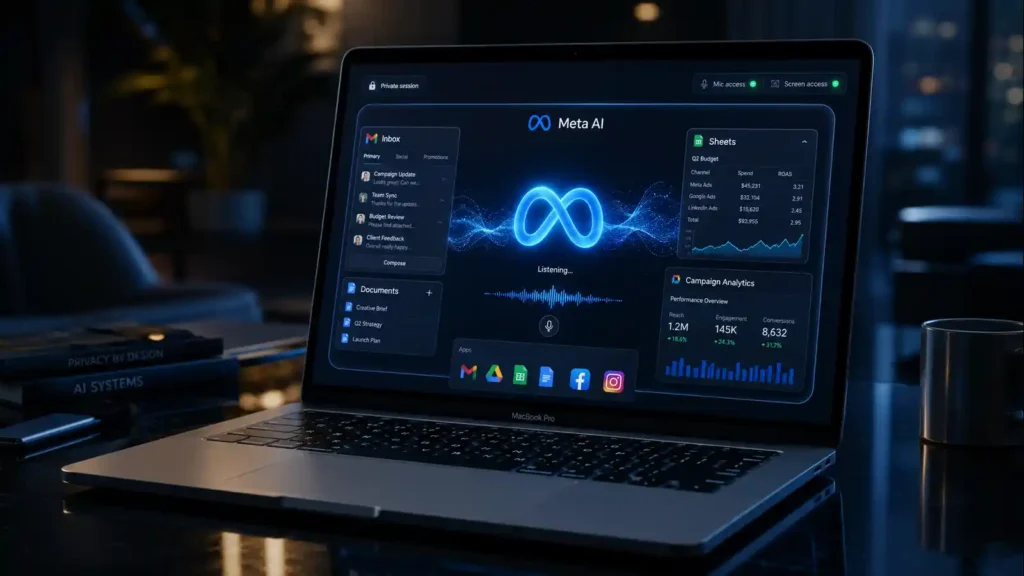
On August 20, 2026, Meta wants talk to become a normal way to use Mac apps. The company launched a Meta AI desktop app with system-wide dictation and screen-aware answers powered by Muse Spark, letting users dictate across apps and ask questions about whatever is visible on their display.
The release reaches beyond voice typing. Business users can connect Instagram and Facebook accounts, Meta advertising campaigns and Google Workspace services—including Gmail, Docs, Sheets and Slides—then ask Meta AI for campaign insights or request proposal decks, documents and spreadsheets. This turns the app into a bridge between desktop input, screen context and connected business data.
That convenience also creates a larger permission boundary than a basic chatbot. Dictation needs microphone access, screen-aware help may need Screen & System Audio Recording access, and cross-app workflows can involve account data. Meta has not published independent accuracy benchmarks, processing architecture, retention details or a complete Mac compatibility list in the cited launch report, so those questions should remain open until the company documents them.
Why Meta wants talk across your Mac apps
TechCrunch’s launch report describes two connected desktop capabilities. First, system-wide dictation lets a user speak text into apps across macOS rather than remaining inside Meta AI. Second, the assistant can examine the current screen and answer context-dependent questions through Meta’s Muse Spark model. The distinction matters: dictation converts speech into text, while screen-aware assistance interprets visible content and produces an answer. Meta is combining both inside a general AI assistant that can also reason, generate images, help with coding and handle other tasks listed on the official Meta AI page. The company has not disclosed transcription accuracy, latency, offline support, supported languages, minimum macOS requirements or whether every application behaves identically. “Works across all apps” is Meta’s launch claim, not an independently verified compatibility result. Users should test the exact software and workflows they depend on before treating it as universal.
How does system-wide dictation work on a Mac?
A system-wide dictation tool acts as an input layer rather than a destination. The user places the cursor in an email, document, browser field or another application, activates dictation and speaks. The assistant transcribes that speech and inserts text where the cursor is active. This differs from voice chat, where spoken input stays inside a conversation with the assistant. Meta’s implementation enters a market already served by Wispr Flow, Superwhisper and Monologue; TechCrunch reports that Google added comparable Mac-wide dictation to Gemini one month earlier. Apple’s Privacy & Security documentation shows why deployment details matter. macOS separately controls microphone, speech recognition, accessibility, input monitoring, automation, file access and screen recording. Meta has not publicly specified which full permission set the app requests. Users should grant only the permissions required for the feature they intend to use and review them after installation.
In practical terms, the feature could support several common workflows:
- Dictate an email without leaving the mail application.
- Speak a first draft into a document or content-management system.
- Enter a prompt into another AI tool or browser field.
- Combine spoken instructions with questions about a chart, document or dashboard already visible onscreen.
The last workflow crosses from transcription into contextual analysis. That is where Meta AI’s desktop positioning becomes broader—and where permission review becomes more important.
What can Meta AI see, and what are the privacy tradeoffs?
The launch report says the app can look at the current screen; it does not say that Meta continuously records every screen or scans an entire computer. Apple requires users to manage screen and audio recording, microphone, Photos, files and folders as separate privacy categories. These controls can be reviewed or revoked in System Settings under Privacy & Security.
Meta’s own AI recommendations policy adds another consideration: voice and text interactions with Meta AI can influence content and advertising recommendations across accounts linked in the same Accounts Center. Meta states, “We don’t use your microphone unless you’ve given us permission and are actively using a feature that requires the microphone.” That assurance addresses activation, but users still need clearer product-level documentation for screen capture, prompt retention, business-data access and model improvement. Sensitive client records, passwords, confidential financial information and unreleased campaign materials should not be exposed until an organization has reviewed those controls and its own compliance duties.
This trust question fits a broader pattern explored in BriefFlash’s coverage of skepticism toward Zuckerberg’s AI strategy and the industry’s push for traceable AI-generated content. Desktop assistants become more useful as they gain context, but the cost of a mistaken permission or inaccurate answer rises with that context.
How does Meta AI compare with other Mac dictation tools?
The available launch information supports a narrow comparison. It confirms cross-app dictation for each named product, but it does not establish identical accuracy, speed, privacy, offline behavior or screen-awareness. A missing disclosure is therefore marked as unconfirmed, not treated as a missing feature.
Meta’s potential advantage is not a published transcription benchmark. It is the combination of voice input, screen context and access to services many merchants already use. Dedicated dictation tools may still win on focused workflow design, but the source material provides no reliable head-to-head data to rank them.
Why is Meta connecting the Mac app to business accounts?
The desktop release is part of a larger business-agent strategy. Merchants can connect Instagram, Facebook, Meta ads and Google Workspace, then ask questions about campaign performance, audience engagement and public competitor information. Meta AI can also turn connected context into proposal decks, written documents and spreadsheets.
Meta’s Business Agent announcement provides scale and direction. In June 2026, the company said more than one million businesses were already using a Meta Business Agent on WhatsApp and Messenger, while WhatsApp, Messenger and Instagram carried more than one billion active business threads each day. Meta described the product as “AI that lets every business show up for every customer.” The Mac app extends that strategy from customer conversations into employee workflows and business analysis. It also complements Meta’s broader open-model ambitions, covered in BriefFlash’s analysis of Meta’s AI strategy.
The commercial logic is clear: an assistant that helps interpret ads, draft reports and answer customer questions can become a paid operating layer. The product risk is equally clear. A generated spreadsheet or campaign conclusion can look authoritative while containing a wrong assumption, missing source or stale metric. Businesses still need human review, access controls and traceable source data.
What should users check before installing it?
Before using Meta AI across a Mac, users and administrators should verify:
- Permissions: Review microphone, speech recognition, accessibility, automation, Photos, files and screen-recording access.
- Activation behavior: Confirm how dictation and screen capture start, stop and signal that they are active.
- Data handling: Look for documentation covering retention, model improvement, deletion and connected-account access.
- Compatibility: Test the exact applications, languages and keyboard workflows required.
- Business controls: Confirm whether administrators can restrict connectors, inspect activity and remove access centrally.
- Output verification: Check campaign metrics, competitor claims, documents and spreadsheets against the underlying sources.
Meta’s announcement does not provide enough detail to resolve every item. That should not be treated as evidence of unsafe behavior, but it does mean buyers should not infer protections or capabilities that have not been documented.
Meta’s Mac app is really a bid for the work layer
The most important part of this Meta news is not voice typing by itself. Meta wants talk, screen context and connected business data to meet inside one desktop assistant. That design could reduce app switching and make Meta AI more useful to merchants already operating across Facebook, Instagram, advertising tools and Google Workspace.
Adoption will depend on execution that the launch report cannot yet prove: transcription quality, low friction, transparent permissions, reliable source grounding and useful administrative controls. Until Meta publishes those details and independent tests appear, the Mac app is best understood as a strategic expansion of Meta AI—not a demonstrated replacement for every dictation tool or business workflow.
Key Takeaways
- Meta AI’s new Mac app combines system-wide dictation with screen-aware answers powered by Muse Spark.
- Business users can connect Instagram, Facebook, Meta advertising campaigns and Google Workspace to analyze performance and generate work documents.
- macOS manages microphone, screen recording, Photos and other sensitive permissions separately, so users should grant only the access they need.
- Meta has not published independent accuracy benchmarks, a complete compatibility list or detailed product-level retention information in the cited launch report.
FAQ
What does "meta talk" mean?
“Meta talk” is not the official name of the new product. In this context, it refers to speaking to Meta AI or using its system-wide Mac dictation feature to enter text across applications. It should not be confused with Meta customer support or live chat.
Is it okay to talk to Meta AI?
It can be reasonable for ordinary, low-risk questions, but users should avoid sharing passwords, confidential business records, health details or other sensitive information unless they understand the applicable data controls. Meta says voice and text interactions with Meta AI can influence content and ad recommendations, subject to its stated controls and regional availability.
Can I turn meta off on Facebook?
Facebook does not document one universal switch that removes every Meta AI feature from the service. Users can avoid or mute Meta AI chats and manage certain AI features individually where controls exist—for example, eligible Page administrators can turn Meta AI comment summaries on or off. Available settings can vary by account, feature and region.
Is Meta scanning my photos?
The Mac app announcement describes current-screen context, not automatic scanning of an entire photo library. macOS separately controls Photos access, and users can review or revoke it in Privacy & Security. Meta AI can analyze images that a user deliberately uploads or selects, but that is different from evidence that the Mac app continuously scans every stored photo.