
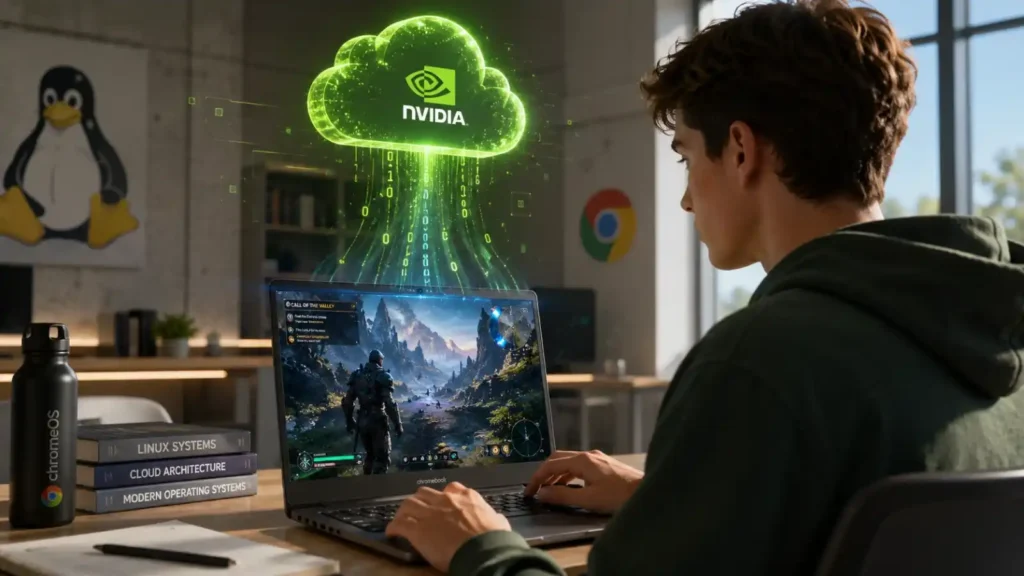
Just in time for the back-to-school season, NVIDIA has announced a significant upgrade to its cloud gaming platform. The latest class session GeForce NOW update focuses on expanding hardware compatibility and refining streaming performance for students and remote workers alike. The most notable headline is the official release of the native Linux application, which has officially graduated from its beta phase.
According to the official GeForce NOW Community announcement, this rollout is designed to give cloud gaming an "extra-credit upgrade." Beyond the stable Linux release, NVIDIA is deploying new cloud optimizations aimed at making Frame Generation feel noticeably more responsive during remote streaming sessions. Furthermore, Performance tier members and Chromebook users are receiving targeted frame rate boosts.
This update arrives at a critical time when students increasingly rely on lightweight laptops and alternative operating systems for coursework. By stabilizing the Linux client and optimizing session handoffs, NVIDIA is directly addressing the hardware limitations of school-issued devices, allowing them to run AAA titles smoothly via the cloud.
Key Takeaways
- The native Linux app for GeForce NOW has officially launched out of beta, bringing full cloud gaming support to Linux-based desktop environments.
- New cloud optimizations make Frame Generation more responsive, reducing latency during active streaming sessions.
- Performance tier subscribers will experience higher frame rates, alongside specific optimizations for Chromebook devices.
- The update targets the back-to-school demographic, enabling low-spec student machines to run demanding titles via cloud streaming.
Native Linux App Officially Leaves Beta
The graduation of the native Linux app from beta is a major milestone for the open-source gaming community. Previously, Linux users had to rely on web-based streaming or unofficial workarounds that often resulted in suboptimal performance and input latency. The stable release of the native app ensures that GeForce NOW runs efficiently within Linux desktop environments, providing direct hardware acceleration and a seamless user interface that matches the Windows and macOS clients.
This move solidifies NVIDIA's commitment to expanding the accessibility of cloud gaming. By supporting Linux natively, the platform opens its doors to users operating on distributions like Ubuntu, Pop!_OS, and Arch Linux, effectively bypassing the historical limitations of the Linux gaming ecosystem. Students utilizing Linux for computer science majors can now transition seamlessly from coding environments to high-fidelity gaming without dual-booting.
Cloud Optimizations for Frame Generation
A core focus of this class session GeForce NOW update is the refinement of Frame Generation technology when applied to cloud streaming. Frame Generation, a component of NVIDIA DLSS 3, traditionally relies on the Ada Lovelace architecture's Optical Flow Accelerator to generate intermediate frames. However, applying this technology over a network stream introduces unique latency challenges.
NVIDIA's new cloud optimizations aim to mitigate these network-induced delays. By synchronizing frame generation with the client-side streaming buffer, the platform ensures that generated frames do not artificially inflate input lag. According to the official NVIDIA blog announcement, the update makes Frame Generation feel "even more responsive while streaming," which is critical for fast-paced competitive titles where every millisecond counts.
GeForce NOW Performance Tier Upgrades
Subscribers to the Performance tier are receiving a direct upgrade to their streaming capabilities during this class session GeForce rollout. The tier, which costs $9.99 per month (or $49.99 for six months), already provides RTX-enabled gaming and up to 1440p resolutions. The new update increases the baseline frame rates for Performance members, pushing closer to the 120 FPS mark on supported titles.
Additionally, specific optimizations have been deployed for Chromebook users. Chromebooks have become a staple in the education sector, but their integrated ARM or low-power Intel processors are incapable of running modern games locally. NVIDIA's cloud optimizations ensure that the GeForce NOW client on Chrome OS utilizes the device's hardware video decoders more efficiently, resulting in smoother playback and reduced battery drain during extended gaming sessions.
Technical Specifications and Platform Enhancements
The August 2026 update introduces several under-the-hood technical improvements designed to stabilize the cloud gaming experience across all supported platforms. Model ML Completes Finance Work More Efficiently with GPT-5.6 Sol
Addressing Session Management and Queue Handling
Beyond raw performance metrics, NVIDIA continues to refine the backend infrastructure that manages user connections. A frequent point of discussion within the Class session geforce reddit community involves session timeouts and the process of server allocation. Specifically, the "GeForce NOW wrapping up your previous session" notification has been a known friction point for users who attempt to rapidly reconnect or switch servers.
When users end a game, the cloud server does not instantly terminate the class session GeForce NOW connection. Instead, it enters a "wrapping up" phase where save data is synced to NVIDIA's servers and the Steam or Epic Games cloud saves. The current optimizations aim to speed up this teardown process. Some Claude Users Mad That Anthropic’s New Watermarks Will Catch Them Using It
By accelerating the data synchronization and server teardown protocols, NVIDIA effectively reduces the wait time when a user closes one game and immediately launches another. This is particularly beneficial for the new 6-hour extended session limits, ensuring that users can maximize their allotted time without losing minutes to backend server cleanup. External reference: NVIDIA GeForce NOW official support documentation
Industry Impact and Future Outlook
The implications of this update extend beyond immediate user quality-of-life improvements. By successfully launching a stable Linux client, NVIDIA is positioning GeForce NOW as a hardware-agnostic service. This directly competes with the philosophy of local hardware upgrades, suggesting that the future of high-end PC gaming relies more on robust internet connections than physical GPUs.
For the education sector, the Chromebook optimizations mean that schools do not need to invest in expensive gaming hardware to provide students with access to interactive, high-fidelity educational software or after-school entertainment. As the back-to-school season commences, this strategic update ensures that GeForce NOW remains the premier choice for cloud gaming accessibility.
Key Takeaways
- The native Linux app for GeForce NOW has officially launched out of beta, bringing full cloud gaming support to Linux desktop environments.
- New cloud optimizations make Frame Generation more responsive, reducing latency during active streaming sessions.
- Performance tier subscribers will experience higher frame rates, alongside specific optimizations for Chromebook devices.
- The update targets the back-to-school demographic, enabling low-spec student machines to run demanding titles via cloud streaming.
FAQ
How do sessions work on GeForce NOW?
Sessions on GeForce NOW operate by connecting your local client to a virtualized NVIDIA GPU in one of their regional data centers. When you launch a game, the server loads your saved data, executes the game, and streams the video output back to your device while simultaneously receiving your local controller or keyboard inputs. The duration of a session depends on your membership tier, with Priority members typically receiving up to 6 hours per session and Ultimate members up to 8 hours.
What does 6 hour gaming session GeForce NOW mean?
A 6-hour gaming session on GeForce NOW means that a user can continuously play on a single cloud server connection for up to six hours before the system automatically initiates a graceful shutdown. The "6 hour gaming session GeForce NOW" limit was introduced to ensure fair server distribution among users. Once the limit is reached, users are notified to save their progress, after which the session ends, though they can immediately queue for a new session if server capacity is available.
What happens if you go over 100 hours in GeForce NOW?
If you exceed your monthly allotted hours on GeForce NOW, your ability to launch new game sessions will be temporarily paused until the next billing cycle begins. NVIDIA tracks these hours based on active streaming time. If you go over 100 hours in GeForce NOW on a tier with a monthly cap, you will not lose your game saves or account progress, but you will need to wait for your hour allowance to reset or upgrade to a higher tier with more monthly playtime.
How to bypass GeForce NOW 1 hour limit?
You cannot officially bypass the GeForce NOW 1 hour limit if you are on the free tier, as these restrictions are enforced server-side by NVIDIA to manage server load. Attempting to bypass the GeForce NOW 1 hour limit using unauthorized third-party tools or exploits violates the Terms of Service and can result in a permanent account ban. The legitimate way to remove time limits is to upgrade to a paid tier, such as the Performance or Ultimate memberships, which offer extended session lengths and higher monthly hour caps.