
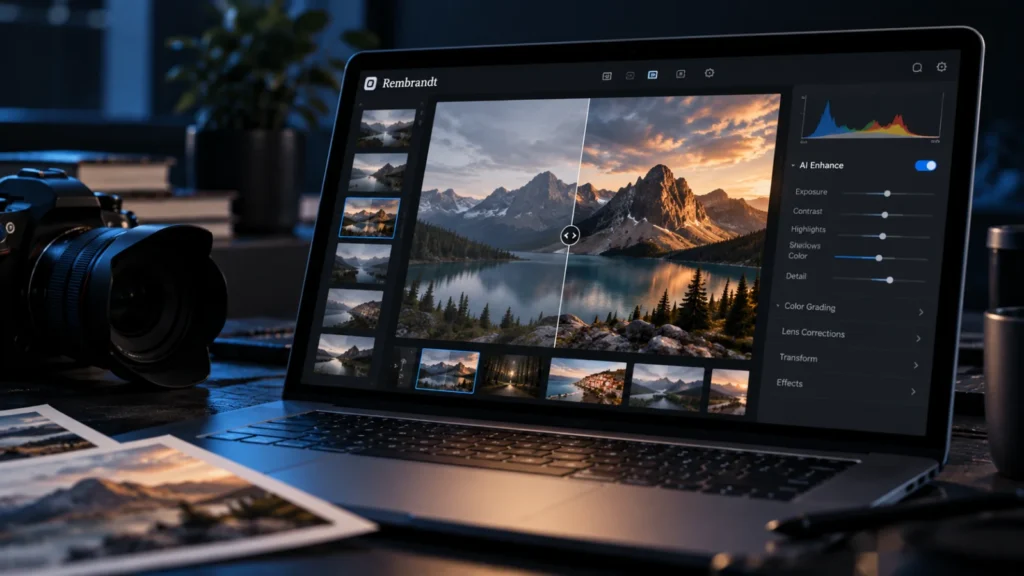
The Rembrandt Lightroom alternative appeared as a Show HN post, hosted on GitHub under the account thesnarkitecht. The post bills it as a free, open source replacement for Adobe Lightroom that runs completely locally with AI. It reportedly surfaced within the past hour, and only one listing carries it.
Only that pitch and the repository link are available, so every claim is the poster’s own and BriefFlash has not confirmed any of them. This article takes the four claims one at a time and says what would make each true. For photographers weighing a move off a subscription or off cloud processing, that is the useful question.
What does the Rembrandt post say?
It says one thing: that Rembrandt is a free, open source Adobe Lightroom alternative, completely local, with AI. That description comes from the project’s own listing, which is the only source for this story. A Show HN is a post where a developer shares their own project, so it signals visibility in a developer community, not endorsement or testing. Nothing about the software’s features, platforms, file formats or maturity is stated, and we do not guess at them.
Why do photographers look for Lightroom alternatives?
Because Lightroom is a subscription product. It is Adobe’s photo editing and library application, known for non-destructive RAW editing, and the recurring fee is why free, local alternatives draw interest. Photographers who pay monthly, or who prefer not to have images processed in the cloud, have a standing reason to watch new entrants. Free open source RAW editors already exist, so the sharper question is what Rembrandt’s AI adds beyond them, and the pitch does not say.
Which claims in the Rembrandt Lightroom alternative pitch are confirmed?
None of the four is independently confirmed. Each word in the pitch carries its own test, and the graphic below sets what the post states against what is left open.
The table adds the test each claim would have to pass.
| Claim | What would make it true | What the available material shows |
|---|---|---|
| Free | No cost to download and use it | Stated in the post; nothing further is given |
| Open source | A licence that allows use, modification and redistribution | Stated in the post; no licence is given |
| Completely local | Editing and AI processing run on the user’s own machine, with no image uploaded to a cloud service | Stated in the post; what local covers is not described |
| With AI | Specific AI features that work as described | Stated in the post; no features are specified |
In our reading, free and open source are separate claims, and neither is settled by a project description. A description is the author’s own marketing until someone independent tries the software.
Is Rembrandt open source or only open weight?
The licence is not given, so open source is unconfirmed. Open source normally means a licence that allows use, modification and redistribution. Some AI projects instead ship downloadable model weights under restrictive terms and are better called open weight. Code and models can carry different licences, so a photographer should check both; restrictive terms could limit what a working professional may do, though we cannot say whether any apply here.
Does completely local mean photos never leave the computer?
It would mean editing and AI processing run on the user’s own machine, with no image uploaded to a cloud service, but the pitch does not say what completely covers. Local AI means the models run on the user’s own hardware. Whether models download at first run is unstated, and a one-time model download is not the same as sending photos out. A cautious user would check what the software fetches or sends, and when.
Will local AI photo editing run on my hardware?
That depends on the size of the models and on the GPU or CPU available, and neither is stated. The same trade-off appears in whether a free local model can replace a paid chatbot plan. Our inference, held with moderate confidence, is that free local tools shift cost from a subscription to the machine you already own.
What we do not know yet about Rembrandt
Most of what a photographer needs is open, and a new project may lack features professionals rely on.
- The licence, for the code and for any models.
- Which AI features exist, whether culling, masking, tagging, enhancement or something else.
- Hardware requirements, platforms and supported RAW formats.
- Whether it offers catalog management, tethering, lens corrections or colour management.
- Who built it, how mature it is and whether anyone has tried it.
What should a photographer ask before moving a library over?
Test on copies, never on an original library, and get answers to five questions first.
- What is the licence for the code and for any downloaded models?
- Does it read the RAW formats my cameras produce?
- Does it cover the catalog, lens correction and colour management features my workflow uses?
- What hardware do the AI features need, and does my machine meet it?
- What does the software download or send over the network, and when?
Until independent users report back, treat Rembrandt as a repository to read, not a replacement to rely on. We think the licence and a clear statement of limits will say more about the project than its pitch does.
Frequently asked questions
Is Rembrandt really open source?
That is unconfirmed. The project is billed as open source in its Show HN post, but the available material does not state a licence. Open source normally means the licence allows use, modification and redistribution. Check the repository’s stated licence for the code and for any downloaded models before relying on the label.
Does completely local mean my photos never leave my computer?
It would, if editing and AI processing run entirely on your machine with no upload to a cloud service. Rembrandt’s pitch makes that claim, but the available material does not explain what completely covers, such as whether models download at first run. Verify the software’s network behaviour before trusting it with a real library.
Can Rembrandt replace Lightroom for a professional workflow?
Nothing available says so. The pitch calls it an alternative, but no features, file formats or user reports are stated, and a new project may lack catalog management, tethering, lens corrections or colour management. Test it on copies of your files and compare it against what your workflow actually needs.
How do I judge a brand-new open source project before trusting it?
Look for a stated licence, documented hardware needs and supported formats, and independent users reporting results. A Show HN listing signals visibility, not quality. Start with copies of your files, leave your existing library untouched, and treat the project description as the author’s own claim until someone independent confirms it.